



Logging into YesPlay is simple and secure, giving you access to sports betting, slots, and lottery games in South Africa. This guide will show you how to log in on mobile, desktop, or the app, and what to do if you run into problems.
Login Methods Available
YesPlay provides multiple ways to access your account:
- Mobile login via browser or app
- Desktop login on PC or laptop
- Google or Apple accounts login
How to Log in to Your YesPlay Account
Follow the step-by-step instructions below to sign in securely, whether you are on mobile, desktop, or using your Google or Apple account.
Mobile Login
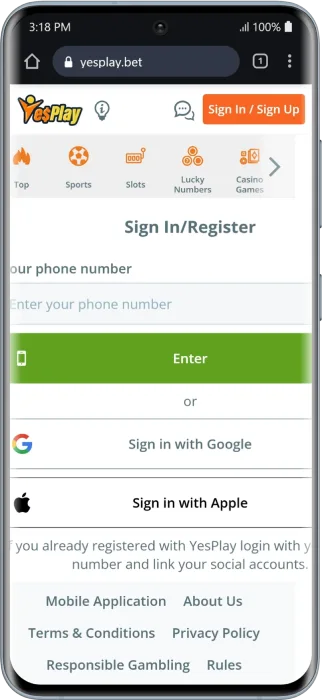
Mobile login is the most popular option, especially for users betting on the go in South Africa. You can log in via a mobile browser or the official YesPlay app.
Mobile Browser
Use this method if you prefer not to install the app or are using a temporary device.
- Open your mobile browser and visit YesPlay official website.
- Tap Sign In at the top-right corner.
- Enter your phone number or email address.
- Type your password and tap Enter.
- If prompted, complete the OTP/2FA verification.
Tip: A stable connection and your usual device can help prevent repeated security checks.
Official App
The YesPlay app offers faster performance and a smoother login experience compared to the browser.
- Android/iOS/Huawei: Download the official YesPlay app.
- Open the app and enter your login credentials.
- Benefits: Faster loading, saved login credentials, push notifications for promotions.
Tip: Check that the app has all necessary permissions enabled and sufficient storage space to avoid login issues.
Desktop Login
Desktop login is ideal for users who prefer betting on a larger screen or managing their account from a PC or laptop.
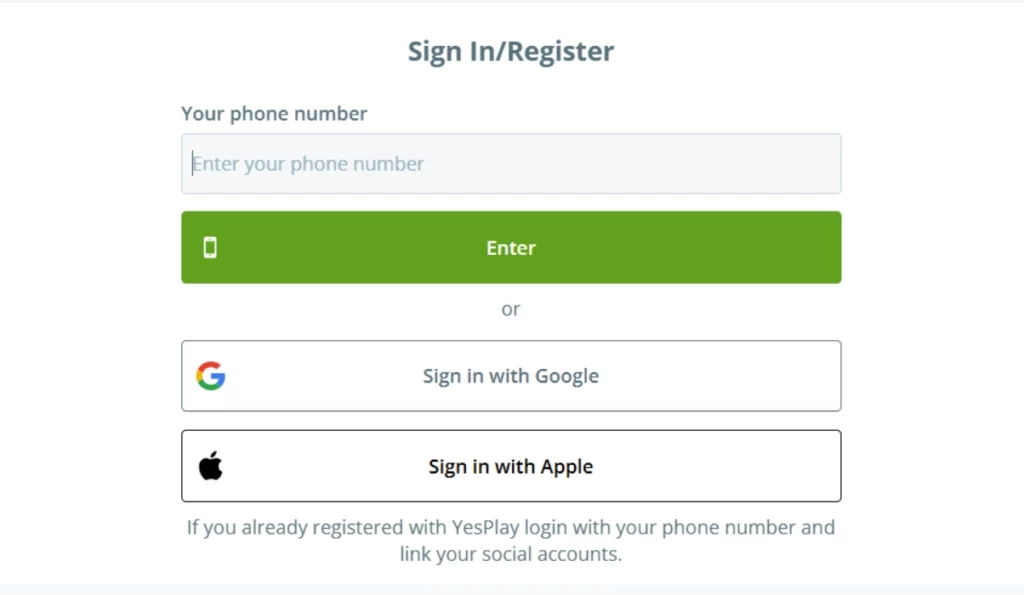
- Go to the YesPlay website on your desktop browser.
- Click Sign In/Sign Up in the top-right corner.
- Enter your phone number or email, then your password.
- Complete OTP/2FA if required.
Login with Google or Apple
You can also log in to YesPlay using your Google or Apple accounts for a faster login without creating a separate password.
Here’s how:
- Google Login:
- Go to the login page and select Sign in with Google.
- Choose your Google account and grant permission if prompted.
- If you experience a login loop, enable third-party cookies or try incognito mode.
- Go to the login page and select Sign in with Google.
- Apple Login:
- Choose Sign in with Apple and confirm your login.
- If login fails, check your Apple ID region and 2FA status. Private relay emails may also affect login.
- Choose Sign in with Apple and confirm your login.
Tip: Using social media login can save time and reduce the risk of forgetting your password, but make sure your social account is secure with 2FA enabled.

How to Create a New YesPlay Account
If you don’t have an account yet, you can register in just a few minutes and claim the welcome bonus.
- Click Sign Up on the homepage.
- Fill out the Yesplay registration form: phone/email, password, date of birth, etc.
- Upload verification documents for FICA compliance (ID and proof of address).
- Claim the Yesplay welcome bonus which is a 100% deposit bonus up to R3,000.
Tip: Ensure your details match your official documents to prevent verification delays.
Common Login Problems & Solutions
If you can’t log in, don’t worry. Most issues can be fixed quickly using the solutions below.
| Problem | Solution |
|---|---|
| Invalid password | Check your password carefully; use Forgot Password if needed. |
| Account suspended | Contact customer support with your details and reason for suspension. |
| OTP not received | Resend once, switch channel (SMS/email), check spam, disable DND mode. |
| Account locked | Wait 15–30 min, try password reset; if still locked, contact support. |
| Social login loop | Allow third-party cookies or try a clean browser profile. |
| App won’t sign in | Clear app cache/data, update the app, or use mobile web once. |
Customer Support
YesPlay offers multiple support channels for fast assistance:
- Live Chat: Available on the website (08:00–22:00 SAST) — ideal for OTP or account lock issues.
- Email: [email protected] (24/7) — attach your ID for FICA verification.
- Social Media: Check website (09:00–18:00 SAST) — for status updates or minor queries.
Tip: Include your phone/email, time of last attempt, and any error messages when contacting support.
Tips for a Secure YesPlay Login
Keeping your account secure is essential when betting online.
- Use strong, unique passwords (12+ characters with letters and numbers).
- Enable 2FA for additional security.
- Avoid logging in on public/shared devices.
- Keep your email and phone number updated in your account settings.
FAQ
How do I login to YesPlay in South Africa?
Open the login page, enter your phone or email, type your password, and complete any OTP if asked
How do I reset my YesPlay password?
Click Forgot Password, follow the link sent to your email or phone, and set a new password. If you don’t get it, check spam and try again.
How do I change my YesPlay password?
Log in, go to Settings, select Password, enter your current password, and choose a new one. Save the changes.
What should I do if my account is blocked?
Wait for temporary locks to expire, make sure your FICA verification is complete, and contact support with your ID and last login attempt.
Can I use my social accounts to login?
Yes, you can use Google, Apple, or Facebook. If the login loops, allow third-party cookies or try a clean browser.
18+ , T&Cs apply, Play responsibly