



Logging into Supabets is quick and straightforward, whether you prefer using your smartphone, desktop computer, or the official Android app. Below, you’ll find detailed instructions for each device type.
Supabets Mobile Login
Mobile login is the most popular way to access Supabets in South Africa, as the platform is optimized for smartphones and supports data-free betting via the Android app.
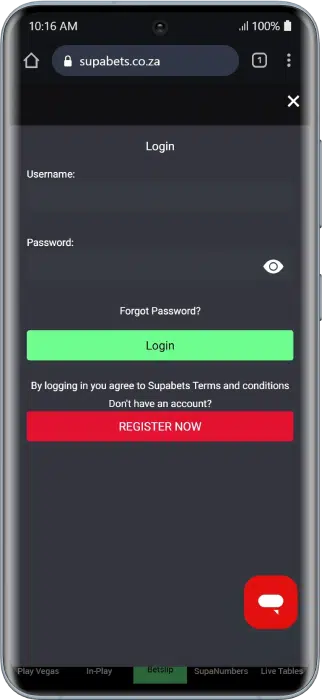
Mobile Browser Login (Step-by-Step)
If you prefer not to install an app, you can log in directly through your mobile browser using any modern smartphone.
- Open your mobile browser (Chrome, Safari, or Firefox).
- Visit the official Supabets website.
- Tap the Login / Register button at the top of the page.
- Enter your registered phone number or username and password.
- Tap Login to access your account.
- Confirm via SMS if two-factor authentication is enabled.
Tip: Use a stable connection and ensure you have accepted Supabets’ Terms & Conditions before logging in.
Supabets Android App Login (Data-Free App)
For a faster and data-free betting experience, you can use the official Supabets Android app, which allows users to place bets without consuming mobile data on supported networks.
- Download the Supabets Android app from the official website or Google Play Store.
- Open the app and tap Login.
- Enter your phone number or username and password.
- Confirm via SMS if prompted.
App Benefits:
- Data-free betting on supported networks
- Faster navigation and smoother performance
- Live betting and real-time odds updates
- Notifications for promotions and bonuses
⚠️ Note: Supabets does not currently offer an iOS app, but the mobile website is fully optimized for iPhone and iPad users.
Supabets Desktop Login
Desktop login is ideal for users who prefer a larger screen and detailed navigation, especially when managing bets, deposits, and withdrawals.
- Open your browser on a PC or laptop.
- Visit the Supabets website.
- Click Login / Sign-up in the top right corner.
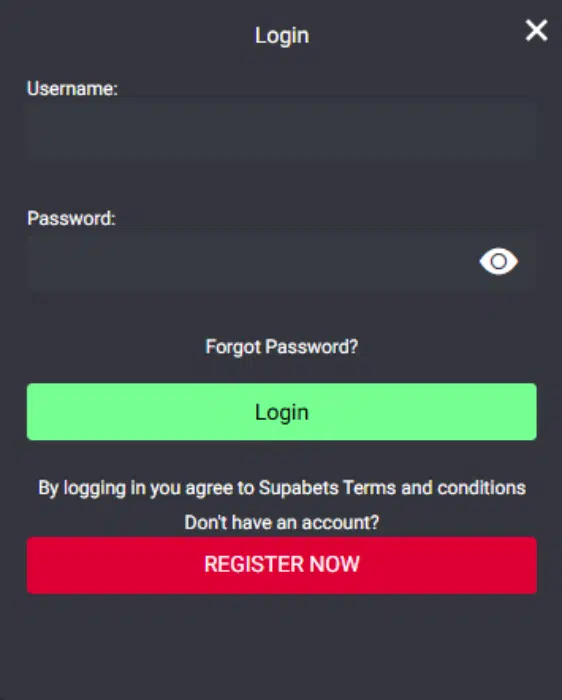
- Enter your registered phone number or username and password.
- Click Login to access your account.
- Complete SMS verification if enabled.
Data-Free Supabets Login
Supabets is one of the few bookmakers in South Africa offering a data-free betting experience via its Android app, making it ideal for users with limited mobile data.
How to access data-free login:
- Download and open the Supabets Android app.
- Tap Login and enter your account details.
Limitations:
- Some casino games and media-heavy features may require paid data
- Availability depends on your mobile network provider
Visual: Screenshot of Supabets data-free app interface.
How to Create a New Supabets Account
If you’re new, you must create a Supabets account before you can log in and start betting.
Step-by-Step Registration
- Visit the Supabets website or open the Android app.
- Click Register.
- Enter your personal details (name, phone number, email, ID/passport).
- Create a secure password.
- Submit the form and verify via SMS code.
Supabets Welcome Offer
New users can claim the following Supabets welcome bonus:
- R50 free bet
- 100 free spins on selected casino games
- Up to R5000 in deposit bonuses across multiple deposits
⚠️ You must complete FICA verification before withdrawing any bonus winnings.
Verification & FICA Upload
To fully activate your account and withdraw winnings, Supabets requires identity verification.
You’ll need to upload:
- Proof of ID (ID card, passport, or driver’s license)
- Proof of address (utility bill or bank statement)
Verification typically takes 24–48 hours.
Common Supabets Login Problems & Solutions
Login issues can occur for several reasons, but most problems are easy to fix with the steps below.
Click Forgot Password on the login page and reset via SMS or email.
Contact Supabets support for verification or compliance checks.
Check network signal, resend the code, or contact support.
Clear cache, update the app, or switch browsers.
Supabets Customer Support
If you experience login or account issues, Supabets offers multiple support channels for fast assistance.
Official Support Channels
- Phone: +27 11 215 7000
- Email: [email protected]
- Help Centre: https://www.supabets.co.za/spa/pages/support-help
- Live Chat: Available via the Help Centre
Typical Response Time:
- Email: ~5 minutes
- Phone & Live Chat: Immediate
Social Media
- Facebook: https://www.facebook.com/supabets
- Instagram: https://www.instagram.com/supabetsofficial/
- Twitter/X: https://twitter.com/Supabets_mzansi
- LinkedIn: https://www.linkedin.com/company/supabets-gaming-group-pty-ltd/
Tips for a Secure Supabets Login
Keeping your Supabets account secure is essential to protect your funds and personal information.
- Use a strong, unique password
- Enable SMS two-factor authentication
- Never share login details
- Log out on shared devices
- Avoid phishing links and fake websites
FAQ
Can I login to Supabets on mobile?
Yes. You can log in via the mobile website or the Android app.
Is the Supabets app data-free?
Yes, the Supabets Android app is data-free on supported networks.
Does Supabets have an iOS app?
No. There is currently no iOS app, but the mobile website is fully optimized for iPhone and iPad.
How do I reset my Supabets password?
Use the Forgot Password option and follow SMS or email instructions.
How long does account verification take?
Usually 24–48 hours after submitting FICA documents
What should I do if my account is blocked?
Contact Supabets customer support for assistance.