



Accessing your BetXchange account is quick and easy, whether you’re using a mobile browser, a desktop, or the Android APK app.
How to Log in to Your BetXchange Account
This guide will walk you through each step, offer troubleshooting tips, and provide advice to make sure your login experience is smooth and secure.
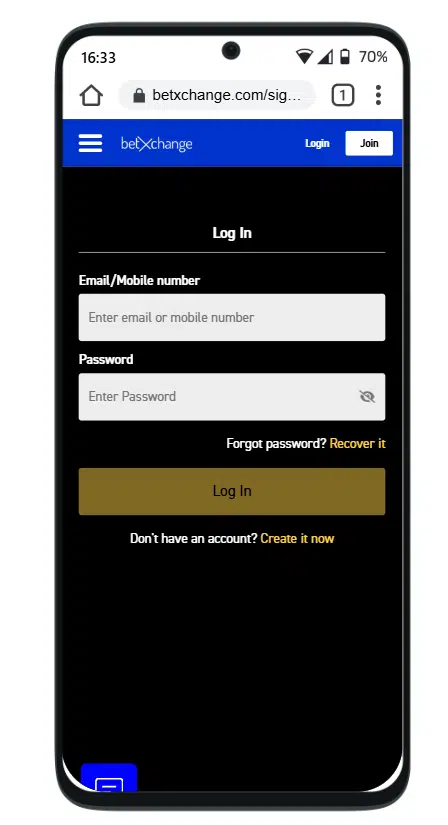
Mobile Login
For users who like to place bets on the go, mobile login allows you to access your account anytime, anywhere, directly from your smartphone or tablet.
Mobile Browser Login
- Open your preferred mobile browser.
- Go to the official BetXchange website.
- Tap the Login button in the top-right corner.
- Enter your registered email/username and password.
- Press Login to access your account.
Tip: Ensure you have a stable internet connection and accept the platform’s Terms & Conditions.
Android APK App Login
BetXchange provides an official Android APK app for mobile users.
How to Install and Login:
- Download the APK from the official BetXchange website to ensure safety.
- Allow installations from unknown sources in your Android settings.
- Install the APK and open the app.
- Enter your registered email/username and password.
- Tap Login to access your account.
Tip: The APK app allows faster access, smooth navigation, and live updates. No iOS app is available at this time..
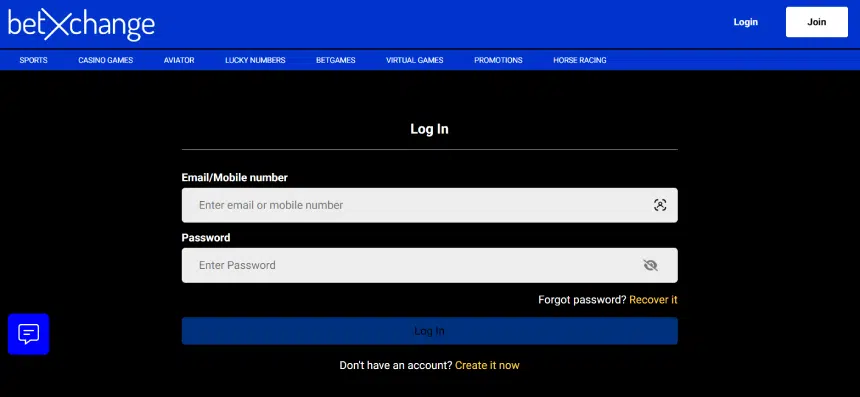
Desktop Login
- Open a browser on your laptop or PC.
- Go to betxchange.com.
- Click the Login button at the top-right of the homepage.
- Enter your email/username and password.
- Click Login to access your account.
Tip: New users may be eligible for a welcome bonus. Check the BetXchange Bonuses Page for details.
How to Complete Your BetXchange Registration
Getting started with BetXchange is simple. Follow these steps to complete your BetXchange registration and start betting:
- Visit the BetXchange website and click the Join button.
- Fill in your details, including your name, email, phone number, and South African ID or passport.
- Create a password, agree to the terms, and click Create Account to finish registration.
Once done, you can claim your welcome bonus and start placing bets immediately.
Common Login Problems & Solutions
| Issue | Solution |
|---|---|
Forgotten Password | Click Forgot Password, enter your email, follow the reset link in your inbox. |
Invalid Credentials | Verify your email/username and password. Check Caps Lock. Reset password if needed. |
Account Locked | Wait for the lock period or contact support with identity verification. |
Website/App Issues | Clear your browser cache, try incognito mode, or reinstall the APK from the official source. |
Customer Support
If you’re experiencing login issues, BetXchange provides multiple support channels:
Head Office (8am – 5pm, Mon – Fri)
- Tel: 011 712 4610 or 011 712 4710
Sports Bets (24/7)
- 011 712 4610 or 011 712 4710
Horse Racing Bets (24/7)
- 011 712 4600 or 011 712 4700
Customer Support & Care (24/7)
- 011 712 4716 | [email protected]
Tawk Live Chat:
- Right-hand side of the site, live 8 am – 6 pm, Mon – Sun
Complaints
- 011 712 4720 | [email protected]
Deposits & Withdrawals
- 011 712 4800 | [email protected]
FICA Verification
- 011 712 4716 | [email protected]
Tip: Have your account details and FICA documents ready to speed up support.

Tips for a Secure BetXchange Login
- Always log in through the official website or APK app.
- Use a strong, unique password and update it regularly.
- Avoid logging in on public Wi-Fi networks.
FAQ
What should I do if I forget my BetXchange password?
Click Forgot Password on the login page, enter your registered email, and follow the instructions to reset your password
Why am I unable to log in to my BetXchange account?
Check your email/username and password, ensure Caps Lock is off, or reset your password if needed. Accounts may also be temporarily locked after multiple failed attempts.
What happens if my BetXchange account is locked?
Wait for the lock period or contact Customer Care with your identity verification to unlock your BetXchange account.
Can I log in to my BetXchange account from a mobile device?
Yes. You can use any mobile browser or the official Android APK app. There is currently no iOS app.
How can I update my BetXchange login credentials or account information?
Log in and update personal info in account settings. For email or username changes, contact Customer Support.